Expose smart meeting room scenes on the VCA Controller
Room Control integrates with Home Assistant so meeting rooms can expose lighting, display, curtain, and scene controls from a tablet.
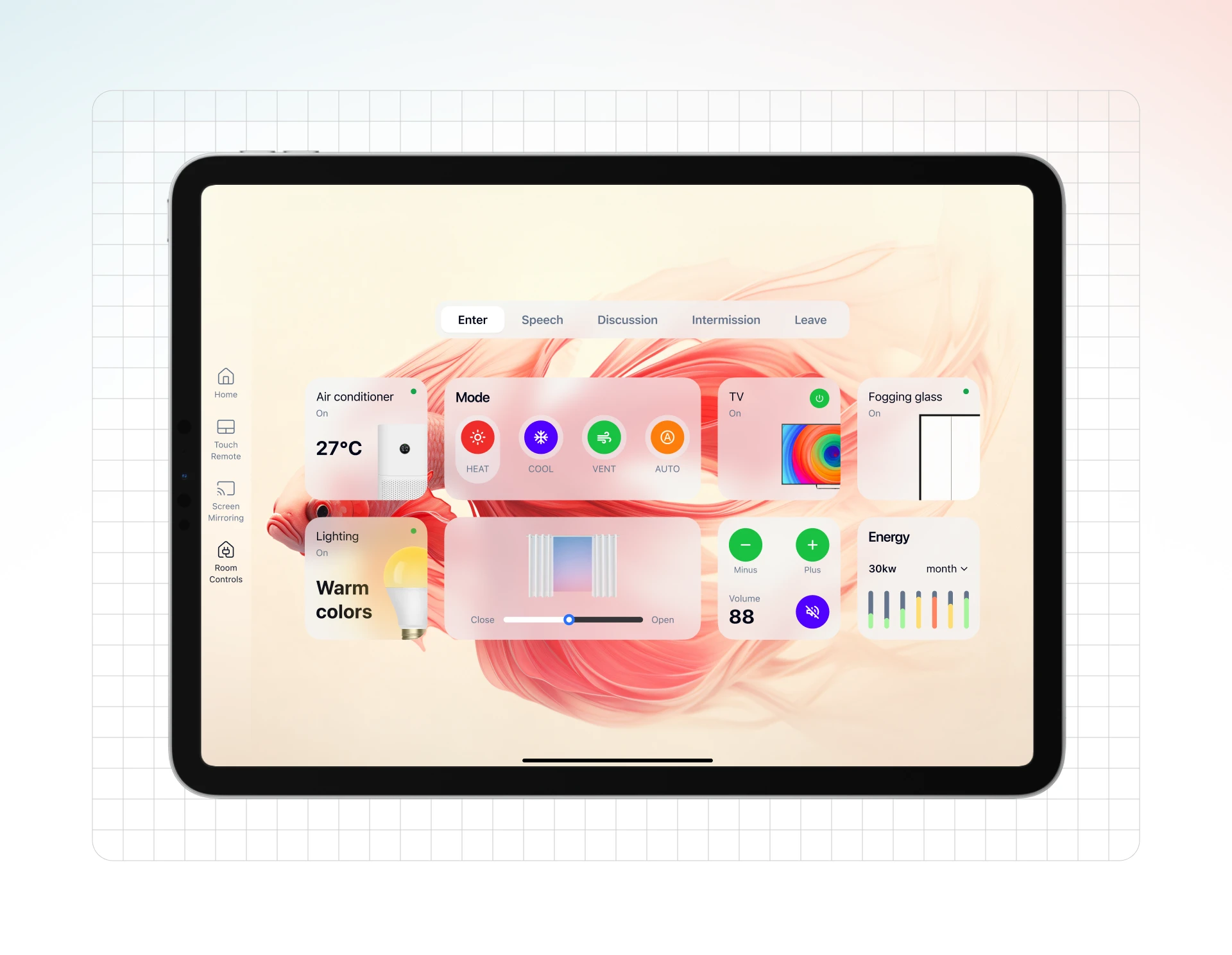
What is Room Control?
Room Control connects the VCA Controller experience with a configured Home Assistant system. Instead of adding a separate proprietary control panel for every room, teams can expose selected smart devices, scenes, and automation actions on the meeting room tablet. This is useful for lighting, curtains, displays, environmental controls, and scene presets when the room already has or can adopt a Home Assistant-based smart control layer.
Verify in product documentationRoom Control setup flow
Room Control is aimed at teams that want practical room scenes without building every control surface as a custom AV integration project.
Prepare Home Assistant
Deploy and configure Home Assistant with the smart devices and scenes the meeting room should expose.
Install required extensions
Follow VCA documentation for kiosk-mode and ha_rest_api related setup where required.
Create a secure token
Use a long-lived access token with appropriate scope and store it according to your internal security practice.
Expose controls on the tablet
Configure the Controller so room users see the right devices, scenes, and automation actions.
Smart room control through an open home automation layer
Room Control is aimed at teams that want practical room scenes without building every control surface as a custom AV integration project.
What VCA controls and what Home Assistant provides
VCA displays and operates the control views you prepare in Home Assistant. Device integrations, automations, and room logic remain Home Assistant responsibilities.
A Home Assistant deployment is required
The room needs a reachable Home Assistant OS instance, configured devices, a control view, and the VCA integration.
Control quality depends on the underlying integrations
VCA cannot make an unreliable smart-device integration more reliable than it is in Home Assistant.
Related resources for smart rooms
Room Control FAQ
Concise answers to the questions teams ask before planning or deploying this capability.
Bring smart-room actions into the meeting workflow
Use VCA with Home Assistant to expose the room scenes people actually need during meetings.