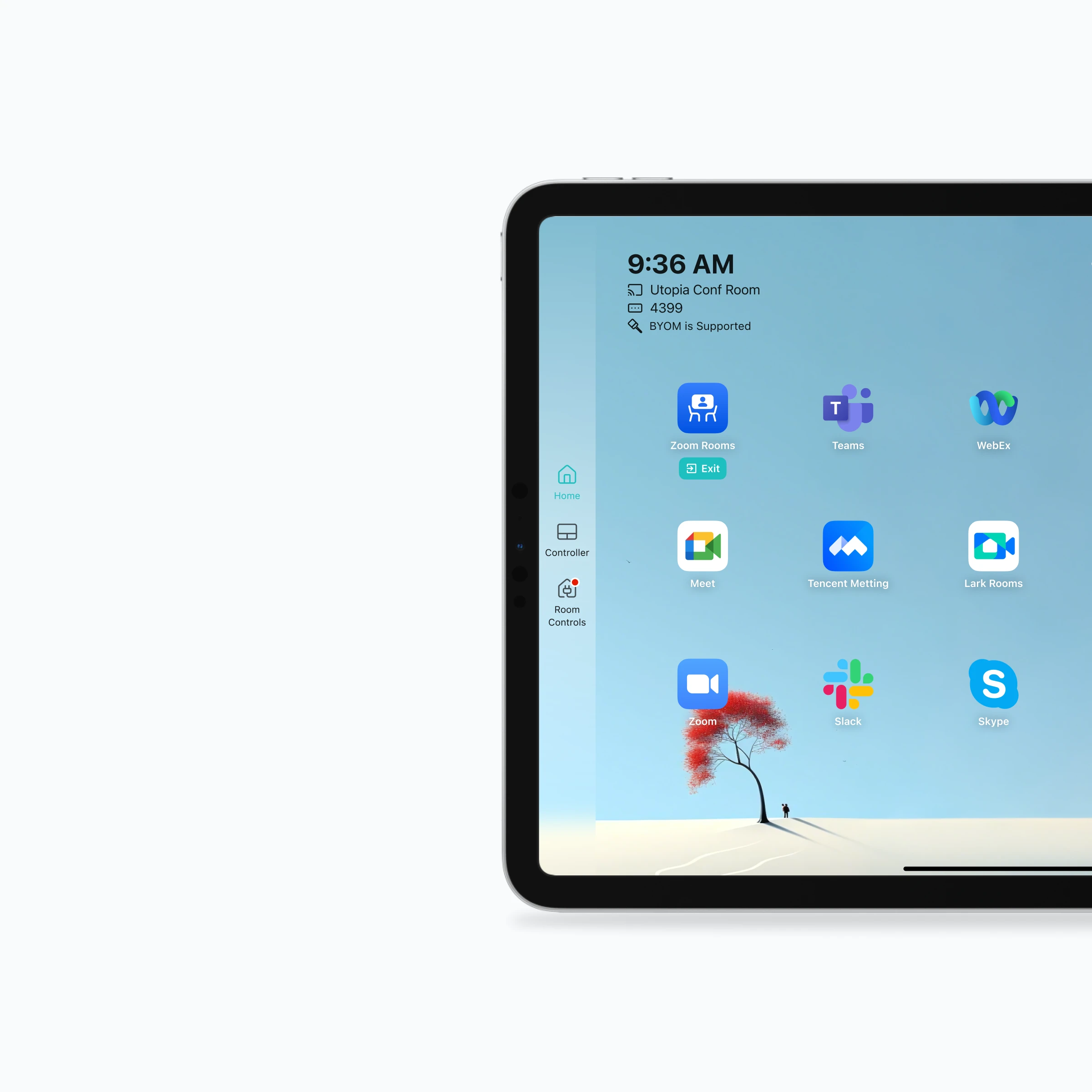
VCA lets a meeting room use one Host computer, one Controller tablet, and the existing USB AV setup to launch and switch between Microsoft Teams, Zoom Rooms, Tencent Meeting Rooms, Feishu Meeting Room, DingTalk Meeting Rooms, and other supported meeting applications.
VCA multi-platform switching is a software orchestration layer for meeting rooms that need to join calls across different conferencing ecosystems. VCA can launch and switch to supported Microsoft Teams, Zoom Rooms, Tencent Meeting Rooms, Feishu Meeting Room, DingTalk Meeting Rooms, and other native meeting clients on the Host computer, with app launch, quick switch, and safe exit actions on the Controller tablet. A room does not have to be locked to one Rooms system or one vendor account. The room keeps using its professional camera, microphone, speaker, and display while users choose the right meeting app for each meeting.
The value is not another video bridge. VCA keeps meetings inside the native app when that is the best experience, while making the room easier to operate from a tablet.
Native app capability without single-platform lock-in
Teams can keep using Microsoft Teams, Zoom Rooms, Tencent Meeting Rooms, Feishu Meeting Room, DingTalk Meeting Rooms, Webex, Google Meet, and other supported clients instead of forcing every meeting through one room ecosystem.
Controller-first switching
The Controller tablet gives room users a quick way to launch, switch, and close meeting apps, reducing the need to touch the Host desktop during a meeting.
Works with existing room AV equipment
VCA is designed around a Host computer and standard USB AV devices, so many rooms can avoid extra cable-switching workflows or duplicate room hardware stacks.
How multi-platform switching works
01
Install Host on the room computer
Set up the Windows or macOS Host connected to the room display, camera, microphone, and speaker.
02
Add supported meeting apps
Use automatic scanning, manual app paths, or web application entries so VCA knows which meeting clients the room can run.
03
Pair the Controller tablet
The tablet becomes the room-facing control surface for app launch, app switching, and meeting operation.
04
Join with the right platform
Users select the required meeting client from the Controller and keep the room hardware attached to the Host.
Compare options
How VCA compares with native Rooms systems
VCA is strongest when a room must support many meeting platforms but the organization does not want to buy and maintain a dedicated native Rooms subscription for every ecosystem. Microsoft Teams, Zoom Rooms, Tencent Meeting Rooms, Feishu Meeting Room, and DingTalk Meeting Rooms remain good choices for rooms that mostly live in one vendor stack. VCA is different because it coordinates multiple native clients on one Host and keeps switching visible on a shared Controller.
Common approach
Who it suits
How VCA works
Microsoft Teams, Zoom Rooms, Tencent Meeting Rooms, Feishu Meeting Room, or DingTalk Meeting Rooms
Organizations standardized on one native Rooms ecosystem with matching licenses and certified hardware.
VCA favors platform freedom: one room can open supported native clients across several vendors instead of being dedicated to one Rooms system.
CVI or interoperability bridge services
Dial-in interoperability when a meeting must be bridged into another platform and feature parity is not the main goal.
VCA uses native apps where possible, so users can retain more of the original meeting client experience instead of joining through a bridge.
Hardware USB switcher or BYOD cable workflows
Rooms where users bring laptops and manually take over cameras, microphones, and displays.
VCA keeps the room centered on one Host and Controller, reducing cable handling and making app choice a software action.
What to verify before you standardize a room
VCA coordinates supported applications on the room Host. The exact experience still depends on the operating system, installed client, account, and invitation format.
Application support is not identical
Launch, quick-control, and calendar-join coverage can differ by meeting client and operating system version.
Calendar join needs a recognizable invitation
A meeting may appear on the room calendar without a Join action when its link or required fields cannot be parsed.
Native Rooms systems still have a role
A room dedicated to one ecosystem may be better served by that vendor's certified Rooms experience.
Verify platform and deployment details
Use these first-party references to confirm deployment details before making a room decision.